
FileMaker: API vs Webhook
Overview
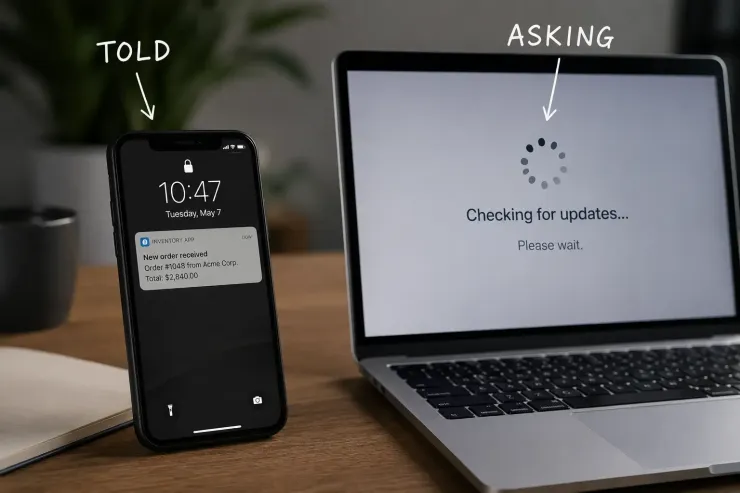
Two systems can trade data in one of two directions. One system asks. Or one system gets told.
An API, a set of addresses one system calls to ask for data, works like a door you knock on. You choose when to knock, and you wait for an answer.
A webhook works like a door that knocks on you. The other system calls it whenever it has something new. You do not choose the moment.
Who controls the timing
With an API, you are in control. You decide when to ask.
With a webhook, the other system is in control. You just need to be ready to answer, at any time.
That one difference changes how you build the script around it.
What FileMaker can do
FileMaker handles both jobs without extra tools.
- a script calls out to an API and waits for the reply
- a script publishes an address and waits for a webhook to arrive
- the calling script sets its own pace
- the waiting script has to stay ready, not just when convenient
Why the direction matters
An API script fits inside a job you already control. Run it on a schedule, or after a button click, or right after a save.
A webhook script has to run all the time, or close to it. Something else decides the moment. Your job is to catch it, not to schedule it.
Mixing the two up causes real delays. A script that checks for new orders every five minutes is often slower than a webhook that reports the order the second it happens.
For each system you connect to, do you know which side is doing the knocking?
Recent comments
No comments yet.